
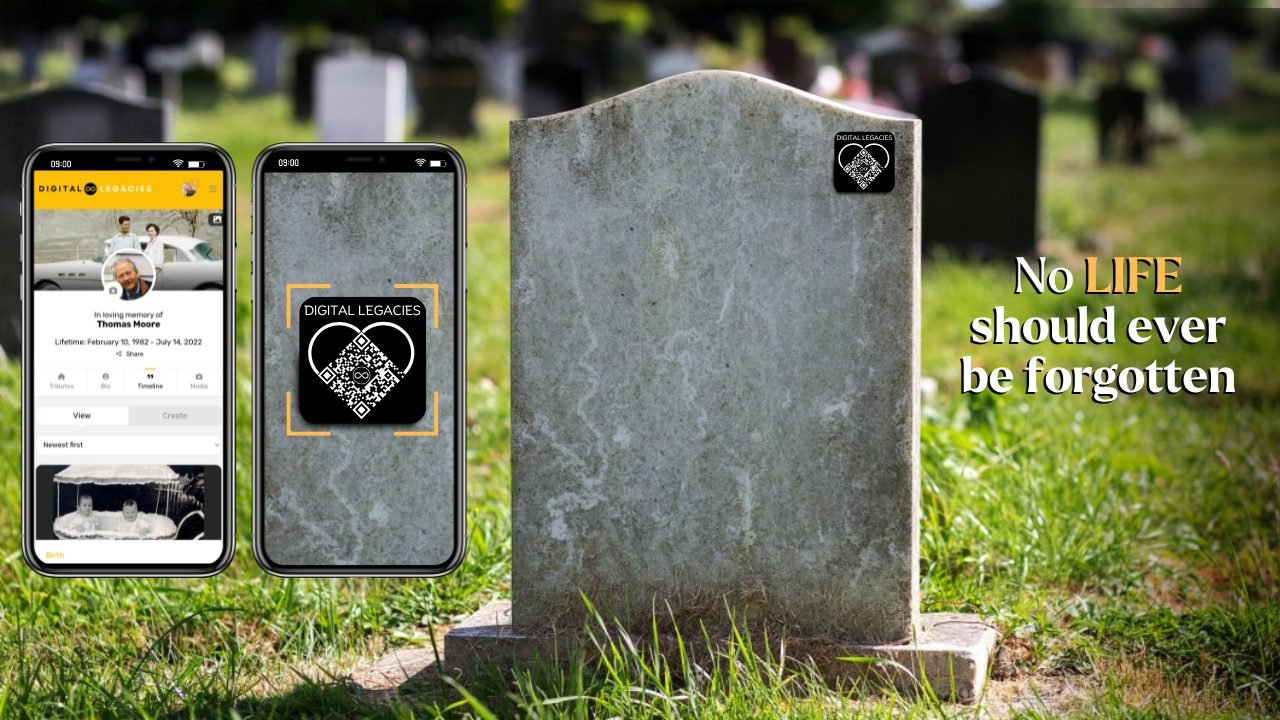
Honoring the memory of a loved one is an important and deeply personal task. At Digital Legacies, we make it easier for you to preserve and share your loved one’s life story with friends, family, and future generations. This guide will walk you through the process of getting started with Digital Legacies and explain how you can bring your memorial profile to life.
Step 1: Create an Account
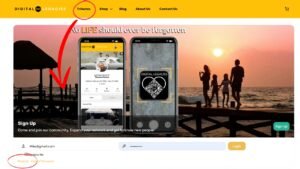
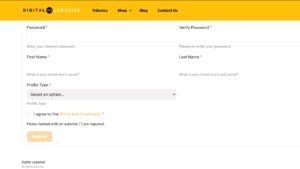
The first step in creating a digital memorial for your loved one is registering for an account with Digital Legacies. Click on “Tributes” in the menu and if you don’t already have an account click the “Register” link seen under the login tab. Fill in the registration form with the details of your loved one for whom the profile is for. Once you’ve submitted your information, you’ll be officially registered and ready to begin.
Step 2: Receive Your QR Code
Once you’ve completed registration, you’ll receive an email with a unique QR code. This QR code serves as a digital key to the memorial profile you have created. It can be shared at any memorial event, whether it’s a funeral, celebration of life, or even an online gathering. The QR code allows friends and family to easily access and view the memorial profile, leave messages, and pay their respects.
Step 3: Basic Profile Setup
As a registered user, you’ll gain access to the memorial profile with basic functionality. At this stage, you can:
- Change the profile and cover photo to reflect the essence of your loved one.
- Leave messages on the profile, allowing friends and family to write tributes, share memories, or offer condolences.
This basic version allows you to start shaping the profile with essential elements while keeping it easily accessible for those who want to visit.
Step 4: Upgrading the Profile for Full Features
To truly bring the memorial to life with multimedia content, you’ll need to upgrade your profile by purchasing a plaque or a digital memorial profile from our shop. Here’s what you can do once upgraded:
- Post media content such as photos, videos, and stories that celebrate your loved one’s life.
- Create a dynamic timeline of their achievements, milestones, and cherished moments.
This upgrade allows you to fully customize the profile, making it a more comprehensive and meaningful digital tribute.
Step 5: Ordering a Custom Plaque
If you decide to order a physical plaque from our shop, your custom plaque will be sent into production. Our plaques are crafted with care and attention to detail. Depending on the demand, your plaque will be ready and shipped within 1 to 7 business days.
While waiting for your plaque to arrive, you can continue to edit and update the memorial profile. Add new photos, share memories, and build a beautiful digital legacy that captures the spirit of your loved one.
Step 6: Sharing and Celebrating the Life of Your Loved One
Once the plaque arrives, you can place it in a meaningful location—a grave, a favorite spot, or even at home—and scan the QR code to view the digital profile. The profile can also be shared via social media, email, or even at future family gatherings, ensuring the memory of your loved one lives on and is accessible to all who knew them.
By following these simple steps, you’ll be able to create a lasting tribute that reflects the uniqueness of your loved one. Digital Legacies is here to help you preserve and celebrate their story, allowing their memory to continue to inspire for years to come.
If you’re ready to get started, sign up here and begin creating a lasting digital legacy today.